

I built a compact mini SOC on my laptop using Oracle VirtualBox and four virtual machines. I ran a manager and dashboard on Ubuntu, a Windows 11 endpoint, an Ubuntu endpoint, and a Kali attacker machine. This project recreated a full security workflow in a small environment.
My aim was practical validation. I enabled vulnerability detection, integrated Sysmon on Windows, added custom detections for PowerShell, and linked VirusTotal to verify alerts using a safe EICAR file. I also proved active response by blocking an attacker IP during an SSH brute-force test.
Throughout the build I faced networking trade-offs, agent/version mismatches, and a file integrity monitoring issue that I fixed by editing the agent config. The result is a reproducible system to collect logs, analyze information, trigger automated containment, and view everything in a live dashboard.
Get your copy now. PowerShell Essentials for Beginners – With Script Samples – Limited Edition
Get your copy now. PowerShell Essentials for Beginners – With Script Samples – Limited Edition
Key Points
- This project shows how to assemble a small soc project that collects and analyzes events.
- Hands-on setup teaches networking and agent versioning lessons better than theory.
- Custom detections and threat lookups can drive automatic containment actions.
- Validation steps included EICAR checks, PowerShell detection, and live brute-force blocking.
- Documenting configs and keeping versions aligned ensures a stable system over time.
Why I Built a Mini Security Operations Center at Home
I wanted a practical platform where I could trigger simulated threats and measure how fast I found and contained them.
I built this project as a focused training ground. It let me run realistic case scenarios and collect clear information from endpoints.
Testing exposed key network differences, such as how VirtualBox NAT vs NAT Network handled east‑west traffic. A host antivirus silently blocked inter‑VM packets, and agent/server version mismatch produced an “Incompatible version” error on a Windows endpoint.
I documented fixes so readers can reproduce the same steps and reduce mean time to repair.
- Practice incident workflows from detection to response.
- Validate telemetry across windows and Linux targets.
- Extract lessons from connectivity, version, and file monitoring faults.
| Issue | Symptom | Action |
|---|---|---|
| Inter‑VM traffic blocked | Missing logs between hosts | Disable host AV filter or adjust adapter |
| Agent mismatch | “Incompatible version” alerts | Align agent and server versions |
| File integrity false failure | Stale FIM alerts | Edit local ossec.conf to bypass faulty sync |
Lab Blueprint: My SOC Architecture and Network Plan
My architecture centered on clear telemetry flows and simple management channels for reliable testing.
I ran four machines in Oracle VirtualBox: a wazuh server on Ubuntu, a Windows 11 endpoint, an Ubuntu endpoint, and a Kali attacker. Each machine had a role so I could trace data from source to dashboard.
Topology and role mapping
I mapped the design so the server receives telemetry and orchestrates responses while endpoints generate logs. The attacker acted as an external source to simulate lateral movement and validate detections.


Networking choices and trade-offs
NAT gave isolation but limited east‑west tests. NAT Network shared connectivity between VMs for intra‑VM traffic. Bridged placed machines directly on the LAN for realism.
“A Host‑Only adapter provided a dependable management channel when the host firewall blocked VM traffic.”
- Predictable IPs: I assigned fixed addresses for repeatable experiments.
- Host instrumentation: Each host shipped useful artifacts without flooding the pipeline.
- Growth: The environment stayed compact but could accept extra agents and collectors.
| Mode | Benefit | Drawback |
|---|---|---|
| NAT | Isolated testing | Limited VM-to-VM traffic |
| NAT Network | Shared VM connectivity | Less realism than bridged |
| Bridged | Real LAN presence | Depends on external network |
Prerequisites, Tools, and Images I Used

I started by listing every image, version, and tool so I could reproduce the environment reliably.
I used Oracle VirtualBox as the virtualization platform. The machines were: Ubuntu Server for the manager and dashboard, Windows 10/11 for the Windows endpoint, Ubuntu Server for the Linux endpoint, and Kali Linux as the attacker machine.
I installed Sysmon on Windows using the SwiftOnSecurity configuration. I accessed the dashboard at https://<Ubuntu-IP>:443. On Windows I verified agent status with the Agent Manager. On Ubuntu I ran agent_control -l to list agents and used systemctl to manage wazuh-manager and wazuh-dashboard services.
“Documenting image names and service names saved me hours when a version mismatch popped up.”
I kept a short checklist of critical files to edit, especially local_rules.xml and configuration templates. I also noted where to find authoritative information for each component so I could follow vendor docs if needed.
| Item | Version / Name | Purpose |
|---|---|---|
| Oracle VirtualBox | 6.x / 7.x | Virtualization platform |
| Ubuntu Server | 20.04 LTS | Manager & dashboard system |
| Windows | 10 / 11 images | Endpoint telemetry and Sysmon |
| Kali Linux | Rolling | Attacker machine for validation |
- Replication tip: snapshot machines before risky changes.
- Naming: use consistent hostnames and agent names for easy lookup.
- Small saves: keep VM guest additions and NIC order correct to avoid lost logs.



SOC home lab with Wazuh + Sigma rules (step-by-step)
My process focused on reliable telemetry: deploy the manager, attach agents, and confirm events flow to the dashboard. I kept each phase small so I could validate quickly and iterate on detection logic.
High-level flow: install, connect agents, enrich logs, write rules, validate alerts
I deployed the wazuh server and opened the dashboard at https://<Ubuntu-IP>:443. Then I added at least two endpoints and verified connections.
On Windows I installed the wazuh agent and Sysmon using Sysmon64.exe -accepteula -i sysmonconfig.xml.
On Ubuntu I confirmed agents with sudo /var/ossec/bin/agent_control -l and checked the manager for healthy heartbeats.
I added a simple local rule in /var/ossec/etc/rules/local_rules.xml to detect Nmap, Ncat, and Nping. After editing the file I restarted the wazuh-manager and tested detection by running nmap -sS against a target.
“Start small: get logs flowing, then tune alerts to cut noise and keep meaningful detections.”
- Deploy the manager and confirm the dashboard shows connected agents and streaming events.
- Install the wazuh agent on Windows and Linux and verify registration in the manager console.
- Enrich Windows logs with Sysmon for higher-fidelity events used in detection logic.
- Create and iterate on custom rules; validate each change with controlled tests.
- Integrate VirusTotal and validate alerts using an EICAR file; test active response for SSH brute-force blocking.
Result: a reproducible project that turns raw logs into alerts and automated actions while keeping files, configs, and notes organized for future growth.
Provisioning the Environment in VirtualBox
I provisioned four virtual machines and tuned each one to handle realistic event loads.
Creating VMs: CPU, RAM, and storage guidelines
I sized the server and Windows guest first since they process the most events. I gave the server extra CPU cores and RAM so services stayed responsive during ingestion.
Tip: keep plenty of disk space for indexes and snapshots. Snapshots let me roll back a file or config change quickly.
Management plane vs. realistic traffic
I used Bridged mode for realistic inter‑VM visibility and added a Host-Only adapter as an out‑of‑band management plane. That kept console access stable when host firewalls interfered with test network traffic.
I validated connectivity early with ping and curl probes and reviewed packet flows when a case required deeper inspection. I also aligned NIC order so management and test traffic always used the right interfaces.
- Throttle background tasks during provisioning to protect critical services and agent enrollments.
- Document essential service ports and baseline config for each machine to cut rebuild time.
- Schedule maintenance windows for heavy updates and reindexing to avoid lost time in tests.
| Item | Recommended | Reason |
|---|---|---|
| Server CPU / RAM | 4 vCPU / 8–12 GB | Handle ingestion and dashboard tasks |
| Windows endpoint | 2 vCPU / 6–8 GB | Support Sysmon and event bursts |
| Storage | 40+ GB per VM | Index growth and snapshots |
| Network modes | Bridged + Host-Only | Real traffic + stable management |
Installing and Hardening the Wazuh Server

My initial priority was getting the manager healthy and the dashboard served over TLS. I installed the wazuh server on Ubuntu and ran basic checks immediately after package setup.
Base install, service checks, and manager health
I verified each service with systemctl status, confirming wazuh-manager and wazuh-dashboard were active and running.
I reviewed logs for startup errors and made small adjustments to the config files when a process failed to bind to the expected interface.
Securing dashboard access over HTTPS
I configured TLS certificates and validated the chain so the dashboard loads cleanly at https://<Ubuntu-IP>:443. I rotated default admin credentials and created named admin accounts for access control.
Firewall rules were minimized to allow agent connections, admin HTTPS, and SSH for remote management. I checked that edits to the ossec.conf file stayed under version control.
“Confirm service outputs, open ports, and manager queue metrics during routine checks.”
- Run service checks after install and confirm listener ports.
- Back up key files and track config changes in git.
- Deploy a lightweight alert rule to verify the pipeline from event to display.
| Check | Command / File | Purpose |
|---|---|---|
| Service status | systemctl status wazuh-manager | Verify manager is active |
| Dashboard TLS | HTTPS at :443 | Prevent browser warnings |
| Config backup | /var/ossec/etc/ | Track edits and recover quickly |
| Firewall | ufw or iptables rules | Limit exposed ports |
Deploying Wazuh Agents and Verifying Connectivity
The first verification step was ensuring every host reported a name, IP, and a healthy heartbeat to the manager.
I install the wazuh agent on Windows, then open the Agent Manager GUI to confirm the agent name, assigned ID, IP address, and that the service shows Running.
Windows agent install and Agent Manager status
In the Windows console I check the listed agent name and the ID match my inventory. I look for the Running state and recent heartbeat time.
Linux agent install, agent_control, and version compatibility
On Ubuntu I register the agent and run sudo /var/ossec/bin/agent_control -l to list hosts. The manager should show both Windows and Linux as Active and sending log heartbeats.
When I hit an “Incompatible version” case, I align package versions on the agent and manager. Reinstalling the matching package restored the handshake and cleared connection errors.
“Aligning versions early prevents long enrollment delays and reduces false negatives in event delivery.”
- I compare agent and manager logs to trace enrollment, key exchange, and event forwarding.
- I validated service start/stop behavior so agents reattach after reboots without manual steps.
- I fixed a stubborn FIM edge case by editing the agent’s local ossec.conf file and then reloading the service so file checks resumed.
| Task | Check | Outcome |
|---|---|---|
| Windows GUI | Name, ID, IP, Running | Agent visible and healthy |
| Linux agent | agent_control -l | Manager recognizes host and logs |
| Version mismatch | Package alignment | Handshake restored |
| FIM issue | Edit ossec.conf file locally | File monitoring resumed |
Integrating Sysmon on Windows for Deep Visibility
I installed a system-level monitor on the Windows machine to capture detailed process, network, and file telemetry. I used the official installer command Sysmon64.exe -accepteula -i sysmonconfig.xml and applied the SwiftOnSecurity configuration for broad coverage.
The added visibility changed detection quality quickly. I could see richer data in every event that crossed the pipeline.
Sysmon deployment and validation
I confirmed local output in Event Viewer under Microsoft > Sysmon, then watched the same entries appear in the manager dashboard. This proved end-to-end flow from the agent on the machine to the central display.
I created a custom rule that elevates PowerShell execution to a high-priority alert. I tested by launching a simple PowerShell command, observed the event IDs and fields, and verified the alert fired in the dashboard.
“Map Sysmon fields to your decoders early. That saves time when you author more detections.”
- Deploy: install Sysmon with SwiftOnSecurity to capture process, network, and file traces.
- Verify: check Event Viewer and confirm matching logs in the dashboard.
- Test: run a predictable command to ensure the custom rule triggers an alert.
| Action | Where to check | Expected result |
|---|---|---|
| Install Sysmon | Windows Event Viewer | Sysmon events appear locally |
| Forward logs | Manager dashboard | Same events visible upstream |
| Create custom rule | Rule file on manager | High-priority alert on PowerShell |
| Map fields | Decoder config | Reusable tokens for future detections |
Authoring Custom Wazuh Rules and Editing ossec.conf
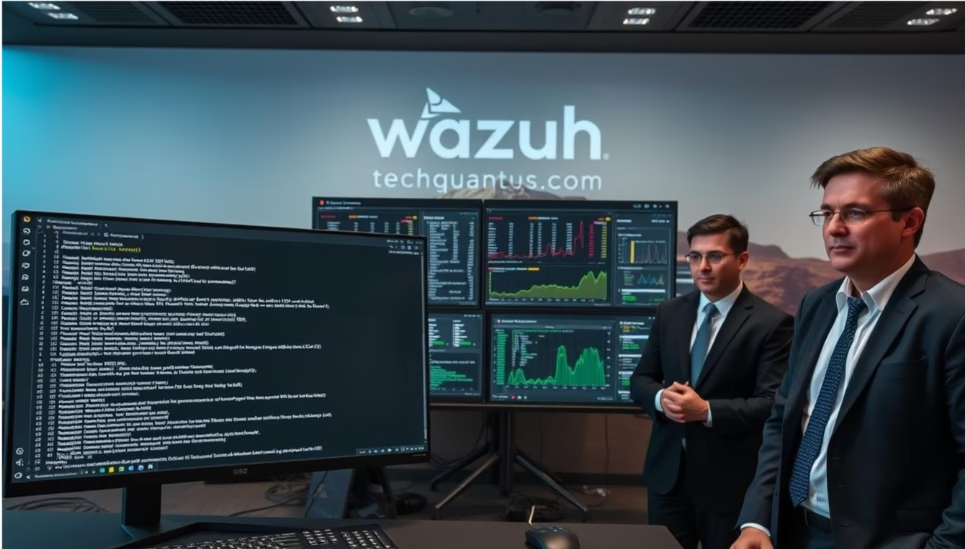
My edits concentrated on compact, testable rules that trigger on specific tool signatures and behaviors.
I add a focused custom rule in /var/ossec/etc/rules/local_rules.xml to detect PowerShell misuse and reconnaissance tools like Nmap, Ncat, and Nping. I place new entries under a clear comment block so future changes stay traceable.
How I validate: restart the manager after changes, run a known command to trigger the pattern, and inspect the alert details in the dashboard. I tune severity and conditional fields to reduce noise while keeping meaningful alerts.
When a persistent Linux file monitoring problem appeared, I bypassed a faulty server sync by editing the agent’s local ossec.conf file. That local edit restored FIM checks without a full server-side rollback.
“Keep a versioned copy of every file you edit so you can revert fast if a detection change breaks coverage.”
- I map rule tokens to Sysmon fields for windows so matching aligns with real event names.
- I log the time from idea to working alert and aim to iterate quickly.
- I keep copies of rule files and the ossec.conf file under source control for safe rollbacks.
| Change | File edited | Purpose |
|---|---|---|
| Detect Nmap family | /var/ossec/etc/rules/local_rules.xml | Alert on process names and command patterns |
| PowerShell activity | /var/ossec/etc/rules/local_rules.xml | Elevate suspicious script execution |
| FIM persistence fix | Agent local ossec.conf | Bypass server sync to restore file checks |
| Validation | Manager restart & event replay | Confirm parsing and dashboard alerts |
Bringing Sigma Into the Workflow
I split detection logic between fast agent checks and heavier indexed queries to balance speed and precision. This hybrid design keeps immediate matching near the endpoint and reserves broader analytic searches for the indexed store.
Which detections live where? I run simple string matches and login patterns at the agent for instant action. I convert standardized rules into Elastalert queries for periodic scans against Elasticsearch when I need richer context.
That mix supports my security operations center goals without overwhelming a single engine. It also makes alerts more meaningful and reduces noise during a case review.
Testing, mapping, and alert routing
I verify that every field a Sigma rule references exists in my pipeline and mappings. I test converted rule runtime, confirm output includes actionable context, and log the source of truth for reproduction.
“Keep fast-path detections lean, and let indexed queries do the heavy lifting for hunts.”
- Route chat for urgent items and tickets for investigative follow-up.
- Document naming, overlap, and periodic housekeeping so coverage stays current.
Threat Intelligence and Enrichment in the Dashboard
I tied global threat feeds into the dashboard so file indicators show context the moment an event appears. That enrichment gave me quick scoring and references for every suspicious file that touched the pipeline.
VirusTotal integration and validating alerts with EICAR
I integrated VirusTotal as an automated lookup so new files are checked against a global source before analysts act. I validated the flow using the EICAR test file and observed a high-severity alert when multiple engines flagged the file.
Validation mattered: the dashboard showed engine verdicts, a risk score, and links back to the original detection event. I confirmed that both windows and Linux logs captured lookup metadata for auditing.
“Enrichment turned raw logs into prioritized alerts and helped me decide whether to run a sandbox or issue a containment command.”
- Mapped fields: I ensured returned data fields were parsed and visible in the console so analysts need not leave the dashboard.
- Secure config: API keys were stored securely, rate-limits respected, and resource use monitored to avoid service impacts.
- Operational flow: enrichment results link to follow-up tools like quarantine or sandboxing and inform firewall or block commands.
| Check | Where | Outcome |
|---|---|---|
| Test file | EICAR on endpoint | High-severity alert and engine hits |
| Logs preserved | Endpoint & server logs | Lookup metadata for audits |
| Rate limits | Integration config | Stability and key rotation plan |
From Detection to Response: Active Response and Firewall Blocks
I simulated an SSH credential attack to measure how detection triggered an automated firewall block and produced an auditable trail.
SSH brute force scenario: alert levels, auto-block, and verification
I ran a brute-force from the Kali host against the Linux server. Repeated failed logins generated a Level 10 alert that invoked Active Response.
The manager issued a command to add 10.0.2.15 to the server firewall. I confirmed connectivity by pinging the host: reachable before the attack and “Destination host unreachable” after the block.
Both the manager and the local log files captured the event, the firewall change, and timestamps so the case could be reviewed later.
Tuning thresholds to prevent false positives and alert fatigue
I tuned a threshold-based rule so only repeated failures within a short time window raise a high-severity alert. That keeps legitimate users from being blocked on the network.
I also added rollback guidance to remove a block if the case is a false positive and tested manager queue behavior under bursts so automation stays stable.
“Automated containment worked fast, but careful thresholds and clear artifacts made the action safe and auditable.”
| Test | Expected | Outcome |
|---|---|---|
| Attack | Level 10 alert & block | IP blocked; ping failed |
| Verification | Logs show command and file change | Manager and host logs preserved |
| Tuning | Minimize false positives | Thresholds and cool-downs applied |
Troubleshooting the Real-World Issues I Hit
I treated every outage like a small case: collect facts, name the hypothesis, and test fixes.
Networking conflicts, third‑party firewalls, and “ghost” FIM failures
I diagnosed lost traffic by testing each path and reviewing VirtualBox NIC modes. NAT blocked some east‑west flows while NAT Network behaved differently, so I mapped connectivity before I changed anything.
A host antivirus (Kaspersky) silently filtered inter‑VM packets. I created a Host-Only management plane so I always had a reliable channel for updates and remote checks.
A persistent Linux FIM alert turned out to be a ghost failure. I fixed it by editing the agent’s local ossec.conf file to bypass the broken central sync and restored expected file checks.
Service restarts, config sync pitfalls, and log noise controls
I standardized a service restart checklist and used systemctl to verify each service state. That avoided inconsistent states after updates.
To detect when config sync partially applied, I compare component names and version metadata and look for missing entries in the manager. This small check saved a lot of wasted debugging time.
I tamed log volume by filtering chatty sources while keeping the signals that matter. After each fix I reran the test case and confirmed critical rules still fired and that alerting information reached the dashboard.
“Diagnose methodically, keep a reliable management channel, and close the loop by retesting every fix.”
| Issue | Action | Outcome |
|---|---|---|
| Inter‑VM traffic loss | Map NIC modes; add Host-Only | Stable management connectivity |
| Ghost FIM failure | Edit agent local ossec.conf | File monitoring resumed |
| Excessive logs | Filter noisy sources; preserve alerts | Cleaner logs; key alerts remain |

![iPhone Fast Charger,[Apple MFi Certified] iPhone Charger Fast Cha...](https://m.media-amazon.com/images/I/31uxpG+yndL.jpg)

Operating and Scaling the Mini SOC Like a Pro
My focus shifted from a single prototype to a repeatable operational design. I balanced capacity, alerting, and validation so the environment could scale without breaking daily work.
Rule hygiene, updates, and alert routing
I keep rule sets lean by reviewing, de‑duplicating, versioning, and retiring old entries. This lowers noise and speeds triage.
Alert routing sends urgent items to Slack and creates Jira tickets for tracked investigation. Less urgent items queue as email digests so analysts can schedule work.
I schedule content updates and validate them in the wazuh dashboard before promotion. I also back up key files like ossec.conf and keep a short rollback plan for every change.
Load balancing, regional design, and red-team validation
I distribute agents across multiple managers and place managers regionally to reduce latency. This prevents a thundering herd when services restart.
I set per‑host log caps to protect ingestion pipelines and monitor agent flaps so I can act fast on instability.
Periodic red‑team exercises mapped to MITRE ATT&CK expose gaps. I use those results to tune thresholds and improve the detection set.
- I document operational steps for onboarding agents, updating configs, and incident handling.
- I keep conversion tools and small automation utilities handy to update Sigma content and sincronize alerts.
- Governance covers deployment windows, rollback steps, and who signs off on changes.
| Topic | Action | Benefit |
|---|---|---|
| Manager distribution | Agents attach to nearest collector | Lower latency; steady ingestion |
| Alert routing | Slack for urgent; Jira for tracking | Faster response; auditable cases |
| Content updates | Validate in dashboard; backup ossec.conf | Safe promotion; quick rollback |
Conclusion
I completed the build by proving reliable telemetry, verified lookups, and automated containment across the environment. The final state is a compact operations center that produced testable alerts, audit trails, and repeatable responses.
Key value: building the project taught me how to turn obstacles into durable runbooks and safer practices. The wazuh dashboard made it fast to verify changes and to confirm that agents and detections behaved as expected.
Useful artifacts for triage were process logs, network captures, and file hashes. I stored configs and my custom source on GitHub so others can fork and adapt the design. I plan to add more scenarios and deeper integrations over time.
If you want to collaborate or ask questions, reach out on LinkedIn and review the repo for concrete configs and notes.
FAQ
How did I design my mini security operations center architecture and network?
I planned a lightweight manager on Ubuntu, Windows and Linux endpoints, and an attacker VM. I separated management traffic on a host-only adapter and used bridged networking for realistic traffic. That split keeps monitoring stable while letting me test real network scenarios.
What resources do I allocate to virtual machines for a stable environment?
I give the manager at least 2 CPUs, 4–8 GB RAM, and 40 GB disk. Agents run with 1 CPU and 2–4 GB RAM each. Heavy tasks like Sigma translation or VirusTotal enrichment get more memory. Those targets keep the lab responsive without wasting host resources.
How do I install and harden the Wazuh manager on Ubuntu?
I follow the official install, enable and test the Wazuh service, then restrict dashboard access to HTTPS, use strong certs, and limit IPs via firewall rules. I also disable unused services and enable automatic updates for the OS and manager.
How do I deploy agents and verify connectivity?
For Windows I run the MSI and register the agent with the manager key; for Linux I install the package and use agent_control to register and check status. I verify version compatibility, confirm heartbeat messages, and watch the manager dashboard for agent health.
Why add Sysmon on Windows and which config do I use?
Sysmon provides rich process, network, and file activity needed for reliable detection. I use the SwiftOnSecurity profile as a baseline, then tune it to reduce noise. Once installed, I confirm Sysmon events arrive in the manager and map to meaningful rules.
When should I write custom rules vs. using Sigma-derived detections?
I write local rules for environment-specific needs like detecting PowerShell abuse, Nmap scans, or proprietary scripts. I convert Sigma rules for broader behavioral detections when I want standardized, platform-agnostic coverage that I can reuse across projects.
How do I edit ossec.conf safely for local tuning?
I always back up ossec.conf before edits, make changes on a test manager, and restart the service to validate. For per-host needs I prefer agent-local ossec.conf modifications, but I document every change to avoid drift and config conflicts.
What is my workflow for translating Sigma rules into manager rules?
I select relevant Sigma signatures, convert them using a translator tool, then map fields to the manager schema. I test by generating representative events, tweak the detection logic, and then deploy to avoid false positives.
How do I enrich alerts with threat intelligence like VirusTotal?
I integrate VirusTotal API lookups in alert workflows to check hashes and URLs. When alerts trigger, enrichment adds context to the dashboard so I can triage faster. I rate-limit API calls to avoid quotas and cache results for common indicators.
How do I implement active response and automatic firewall blocks?
I configure high-confidence rules to trigger active-response scripts that add IPs to firewall deny lists. I test blocks with controlled SSH brute-force attempts and include whitelists and cooldown windows to reduce accidental lockouts.
How do I tune alert thresholds to prevent fatigue?
I adjust rule severity, use aggregation windows, and suppress repetitive alerts tied to benign processes. I run weekly reviews of alert logs, raise thresholds for noisy detections, and create exception lists for known safe behavior.
What common troubleshooting steps solved my networking and log issues?
I checked adapter types, resolved IP conflicts, disabled third-party host firewalls, and ensured time sync across systems. For FIM ghost errors I validated file permissions and restarted the manager. When configs failed to sync, I re-registered agents and verified keys.
How do I scale this mini environment toward production-like operations?
I separate managers for load balancing, offload heavy enrichment to dedicated workers, and use regional manager designs for segmented networks. I also integrate alert routing to email, Slack, or Jira, and keep Sigma and rule libraries updated.
How can I validate detections using safe test files and scenarios?
I use EICAR for antivirus test alerts, scripted PowerShell abuse patterns, and controlled Nmap scans. I log each test, monitor resulting alerts, and refine rules until detections match expected behavior without causing noise.
Related posts:
 CISSP Domain 2: Guide to Asset Security Fundamentals
 CISSP Domain 3: Security Architecture and Engineering
 Top 7 Free Web Tools to Boost Productivity
 Boost Your Internet Speed: Advanced Techniques
 Top Cybersecurity Threats for Remote Workers
 I Use Small Business AI Stack: Affordable Tools to Automate Support, Sales, Marketing